Punch list app
Punch list app: photos, voice and a PDF before you leave
Walk the job, snap each item and say what's wrong. Obsiva builds the punch list with location, priority and who fixes it, and on the next visit shows you what's still open.

- Free to start
- No account
- Works offline
For now Obsiva is Android only. Open this page on an Android phone to install it.
 On a computer?Scan with your Android camera to install.
A punch list in a spreadsheet stays on the laptop
The walkthrough happens with a phone in your hand, but the list gets built later at a desk, copying photos and notes. By the time it reaches the sub, a day is gone.
The usual way
- Photos in the camera roll, notes on paper.
- The list gets typed into Excel that night.
- Everyone has their own version of the list.
- Nobody remembers what the item looked like before the fix.
With Obsiva
- Every photo is an item, with its location.
- Say what's wrong and AI writes it up clearly.
- Responsible party, priority and action on every item.
- The PDF shows before and after for each one.
How it works
From walkthrough to punch list PDF
Works the same for a building, a unit or a store.
Snap the item
Mark it with an arrow or a circle. Every photo becomes an item.
Say what's wrong
"Missing grout on the bathroom floor next to the shower." In English or Spanish.
Review what AI wrote
Title, location, description, severity, responsible party and recommended action. Everything is editable.
Share the punch list
Generate the signed PDF and send it to the sub by email or text before you leave.
Follow up on the next visit
See the open items, add the fix photo and mark them closed.
Close out with before and after
The report shows each item with its first photo and its fix photo.
The report
What the punch list PDF looks like
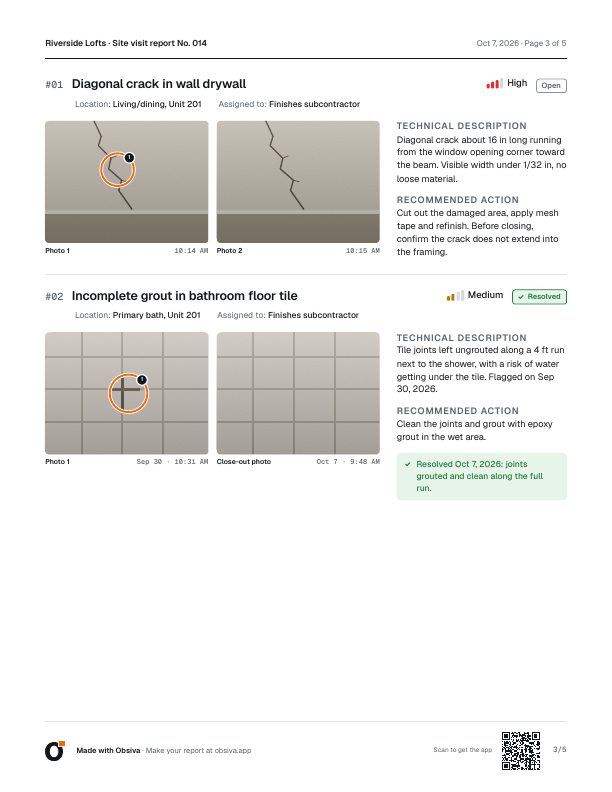
A report made with Obsiva on a site visit. Sample data.
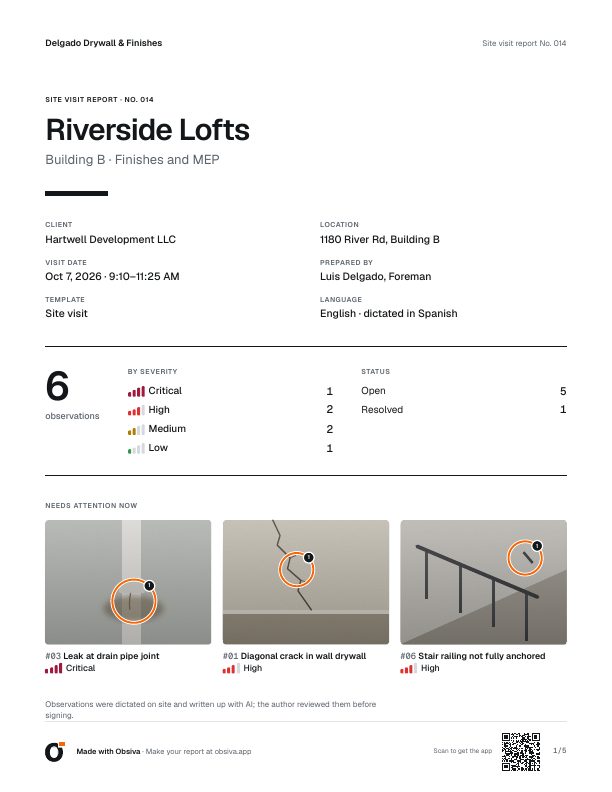
CoverTotals by severity and what needs immediate attention.
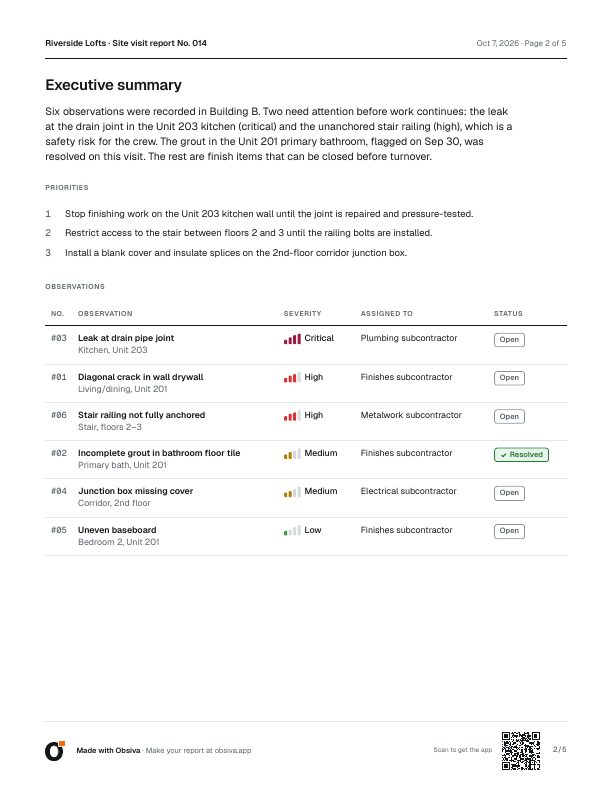
Executive summaryWritten by AI when you close the visit, sorted by severity.
Items with photosAnnotated photos, location, responsible party, action and fix photo.
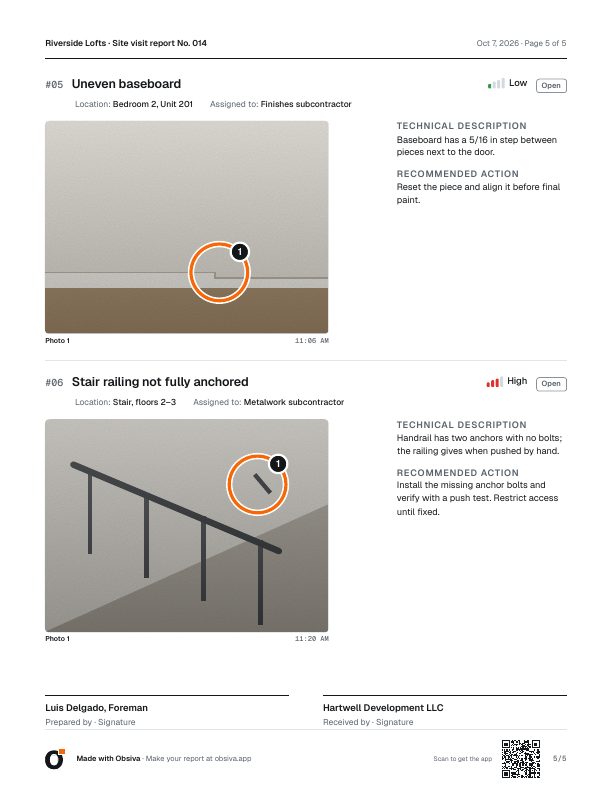
SignaturesFrom whoever prepares it and whoever receives it.
Built for the walkthrough
One free hand, spotty signal and a lot of rooms.
Works offline
In basements and units with no signal. AI writes things up when you're back online.
Annotated photos
Arrows, circles and text to show exactly where the item is.
Tracked to closeout
Open items carry over to the next visit with their photo history.
Property handover template
Rooms and parties typical of a handover: kitchen, bathrooms, bedrooms; developer, builder, owner.
Bilingual when you need it
With Pro, dictate in Spanish and deliver in English, or both side by side.
Schedule the next visit
Put it on the project; when you start it, the open items come with it.
Free template
Prefer a spreadsheet? Get the free punch list template
Excel and PDF, with drop-downs, filters, an open-item count and a filled-in example.
Get the templateFAQ
Common questions
What is a punch list?
The list of remaining work and defects before a project, unit or store is handed over: every item to fix with its location, responsible party, priority and status. In the UK it is called a snag list.
Can I use Obsiva as a punch list app?
Yes. Every photo is an item with location, severity, responsible party and action. On the next visit you see what's still open, add the fix photo and mark it closed. The PDF shows before and after.
Does my subcontractor need the app?
No. They get the punch list as a PDF by email, text or whatever app they use.
Does it work offline?
Yes. Photos, dictation and items are saved on your phone. AI writes them up when you're back online, and you can keep working in the meantime.
Is there an iPhone version?
For now Obsiva is Android only, on Google Play.
How much does it cost?
Getting started is free: 3 shared reports a month, unlimited items, AI included (60 written-up items a month). Pro is a monthly or annual subscription; Google Play shows the price in your currency.
Your next punch list, done before you leave the site
Install Obsiva for free and use it on your next walkthrough. No account, no card.
For now Obsiva is Android only.